
Rather than manually exporting and importing XMLs, I created this UI action as a proof of concept to make it easier to automate this. This is just a rough draft and can be tweaked as needed. It involves creating a scripted rest api, auth profile, and UI action.
Script REST API * make sure to properly secure with ACLs*

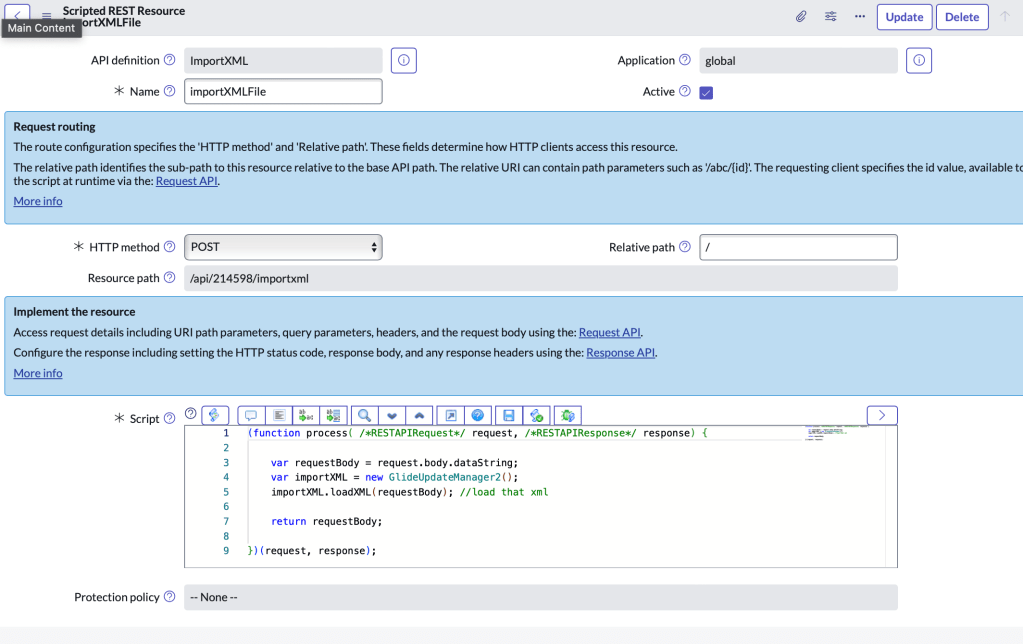
Script
(function process( /*RESTAPIRequest*/ request, /*RESTAPIResponse*/ response) {

    var requestBody = request.body.dataString;
    var importXML = new GlideUpdateManager2();
    importXML.loadXML(requestBody); //load that xml

	return requestBody;

})(request, response);
UI Action
Tweak as needed. For example, use a system property to maintain the instances and sys_id of the auth profile. Like I said before, this was just a fun proof of concept.


var inst = ["devxxxx", "devxxxx"]; // Array of instance you want to sync
var xmlPayload = gs.unloadRecordToXML(current, false);

for (var i = 0; i < inst.length; i++) {
    syncToLowers(inst[i], xmlPayload);
}

var url = current.getTableName() + '_list.do';

action.setRedirectURL(url);

function syncToLowers(instance, xml) {
    var restMessage = new sn_ws.RESTMessageV2();
    restMessage.setAuthenticationProfile("basic", "bfaf37c797fc4e50b7ab5c900153af81"); //sys_id of auth profile
    restMessage.setHttpMethod("post");
    restMessage.setEndpoint("https://" + instance + ".service-now.com/api/214598/importxml");
    restMessage.setRequestHeader('Content-Type', 'application/xml');
    restMessage.setRequestBody(xml);
    var response = restMessage.execute();
    var responseBody = response.getBody();
    var httpStatus = response.getStatusCode();
    gs.addInfoMessage("API Response: " + httpStatus);

}


 mySNstuff.com