
Disclaimer: I strongly recommend using the mobile app/push notifications instead.
With that being said, if you want to receive text messages for certain email notifications, you can do so by adding your phone as a channel.
Click on your profile -> Preferences -> Notifications -> Core UI
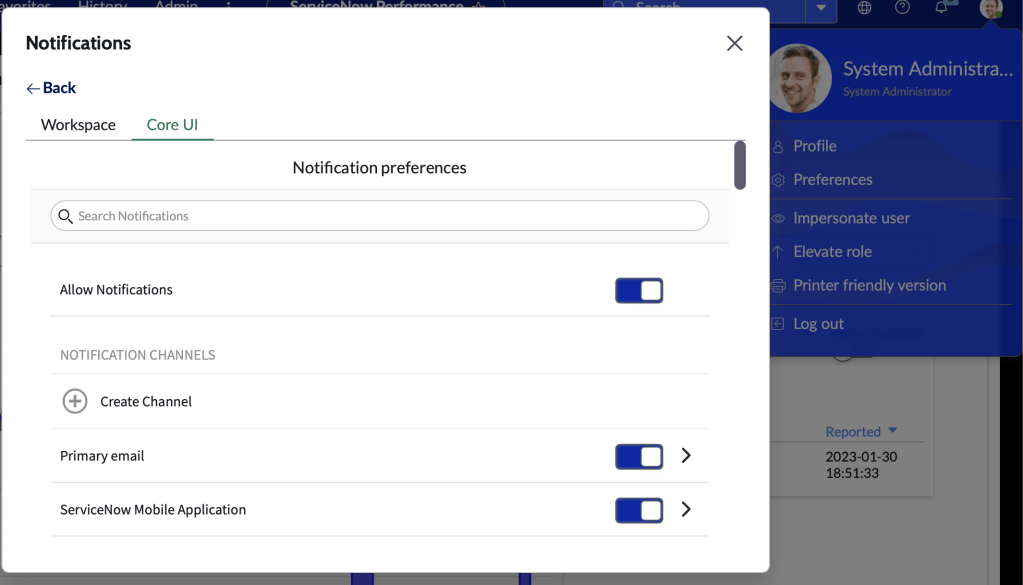
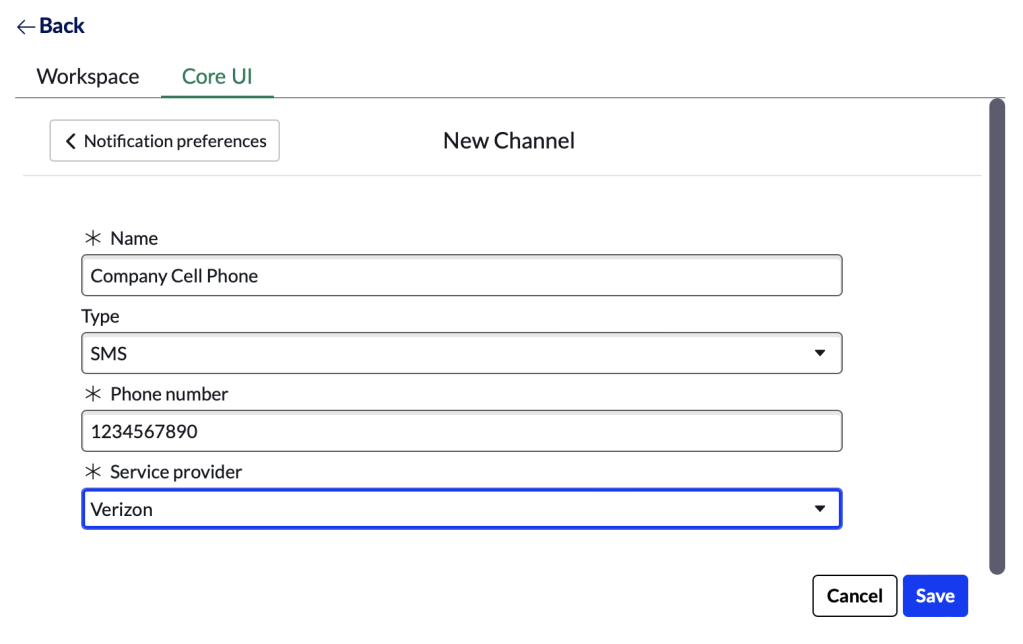
Then click on Create Channel. Give the new channel a name, type is SMS, enter your phone number, and select your Service Provider. Click Save.
Go back to the list of notifications. Find whatever notificiation you want to subscribe to for SMS. Toggle on the channel you created in the previous step.
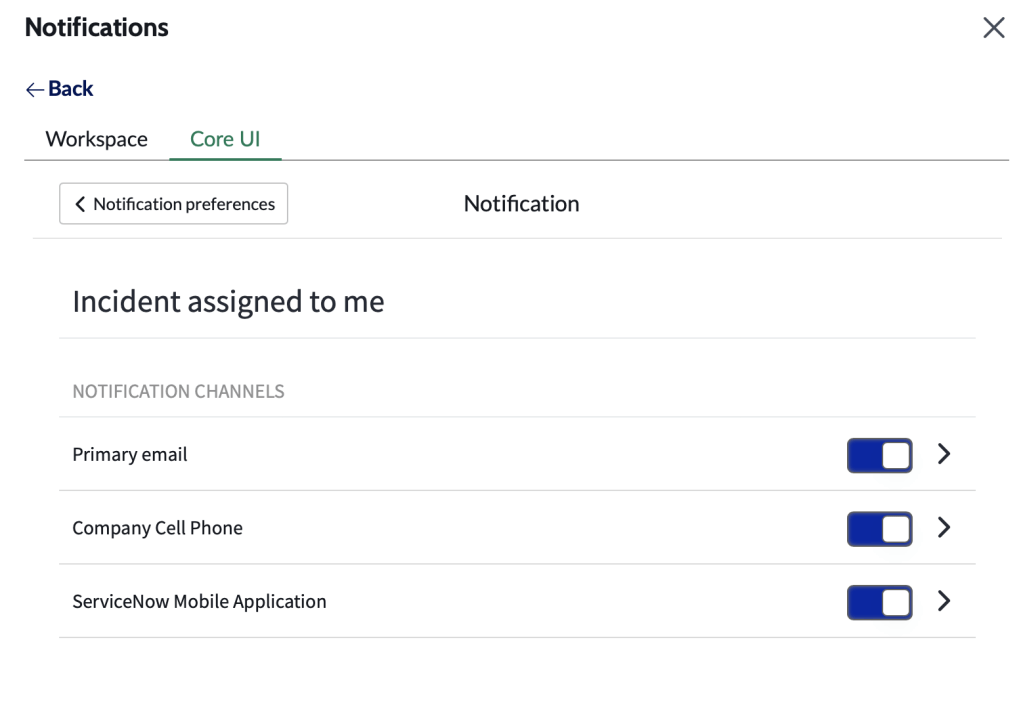
You’ll now receive text messages for the notifications that you enable this for.
 mySNstuff.com