
“Catalog Data Lookup Definitions” is an AWESOME (relatively new and underutilized) feature that can help replace catalog client scripts/GlideAJAX.
Lets say you have a catalog item where you need to select the user, and then two other fields, preferred email address and preferred phone, need to auto populate based on the User selection.
Previously you would’ve had to create a client callable script include and use GlideAJAX in a client script to retrieve the values and populate the variables. But with Catalog Data Lookup Definitions, it is much simpler.
In your Catalog Item, there is a related list called “Catalog Data Lookup Definitions”
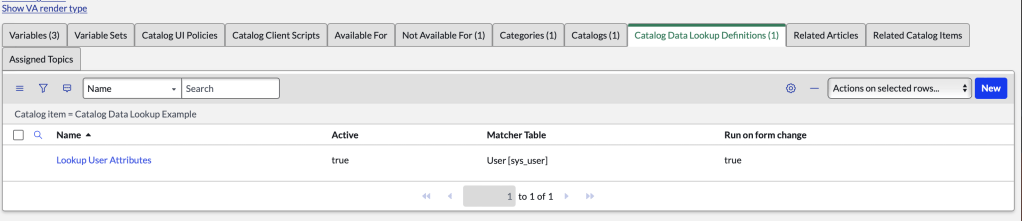
Here you can create a new record:
In this example, I named it Lookup User Attributes.
The Matcher Table is the table you want to query. For this example, I am querying the user table, so I selected User [sys_user]

In the Catalog Matcher Variable Definition related list, create a new record.
Source Variable: is the catalog variable used for the lookup
Matcher table field: is the field you want to compare the source variable to.
Here I am looking up a record in the sys_user table, based on my catalog variable named user.

In the next tab, Catalog Setter Variable Definitions, you can define what variables will get auto-populated based on the match.
In the example below, I’m configuring it to populate the following variables with the corresponding values from the user record.

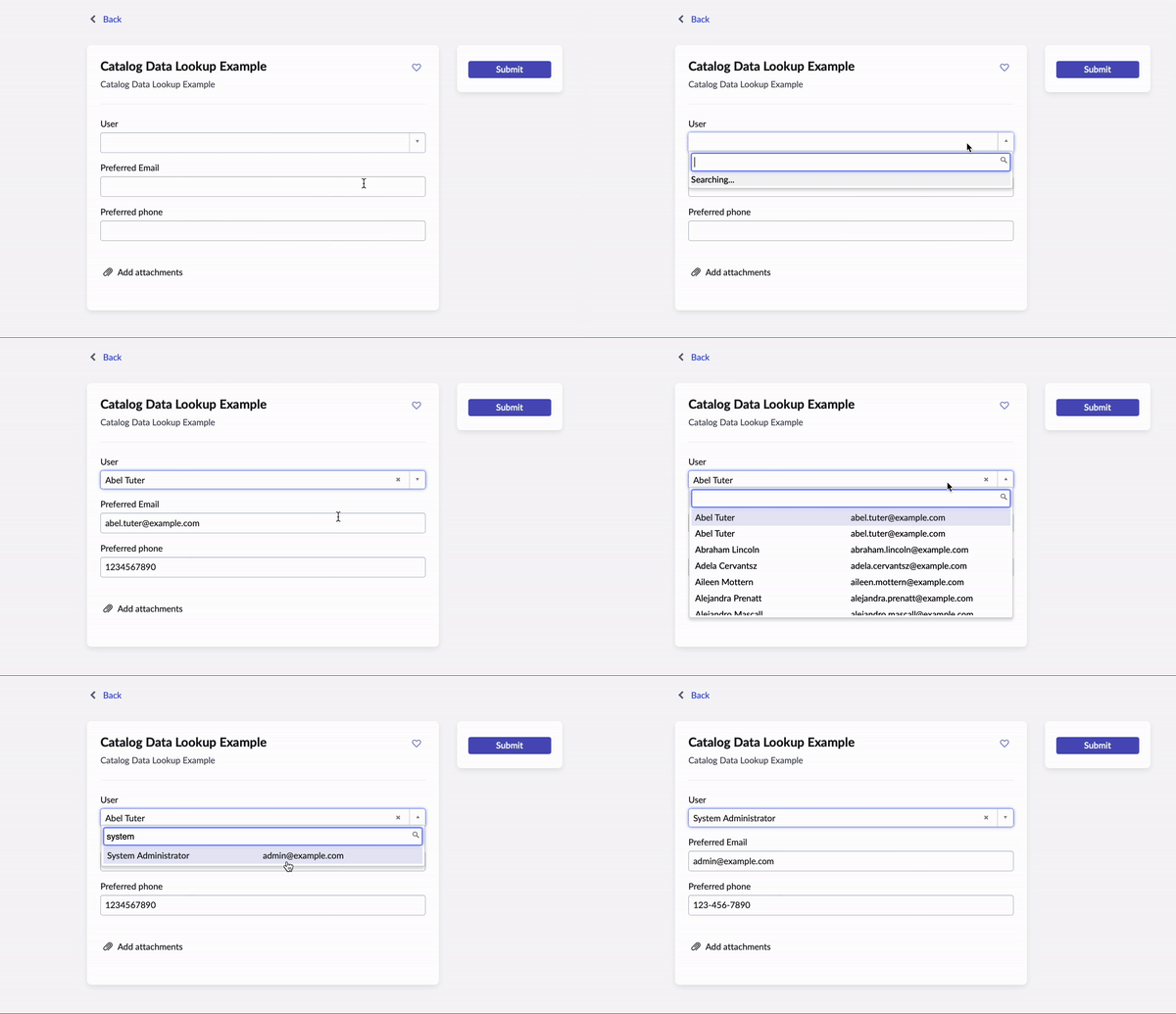
That’s it for the configuration! Now lets see it in action:
 mySNstuff.com