
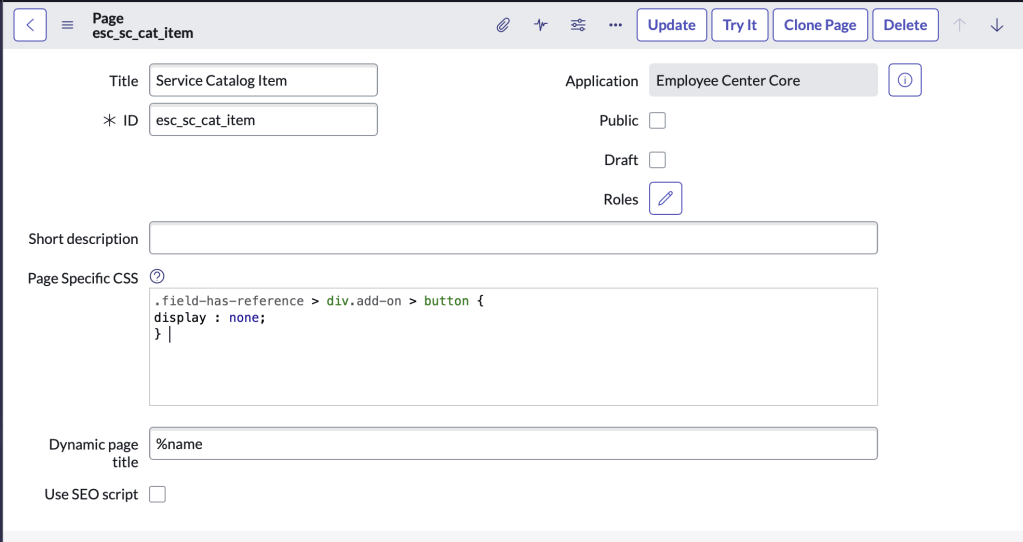
Go to Service Portal -> Pages and open page with ID: “esc_sc_cat_item“
instanceName.service-now.com/nav_to.do?uri=sp_page.do?sys_id=c0728d1373675300c629e1e54cf6a7b3
Add the following code to the Page Specific CSS and click update.
.field-has-reference > div.add-on > button {
display : none;
}
Before

After

 mySNstuff.com