
Simple solution to display all the related requested items attachments on the catalog task form. This approach is better than copying the attachments to each catalog tasks.
Go to System Definition -> Relationship.
Create New
Name: RITM Attachments
Applies to table: Catalog Task [sc_task]
Queries from table: Attachment [sys_attachment]
Queries with:
(function refineQuery(current, parent) {

    current.addQuery('table_sys_id', parent.request_item);

})(current, parent);
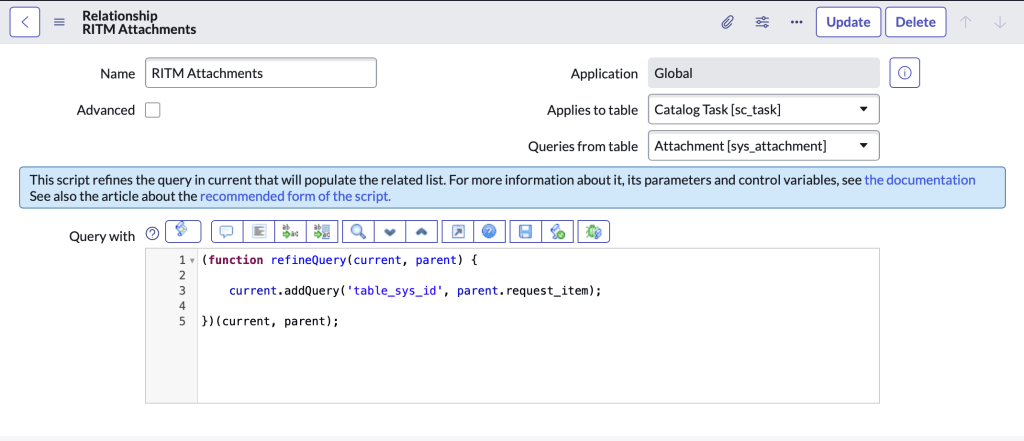
Now on the Catalog Task form, right click the header -> Configure -> Related Lists. Add RITM Attachments and save
You will now see the RITM attachments as a related list.
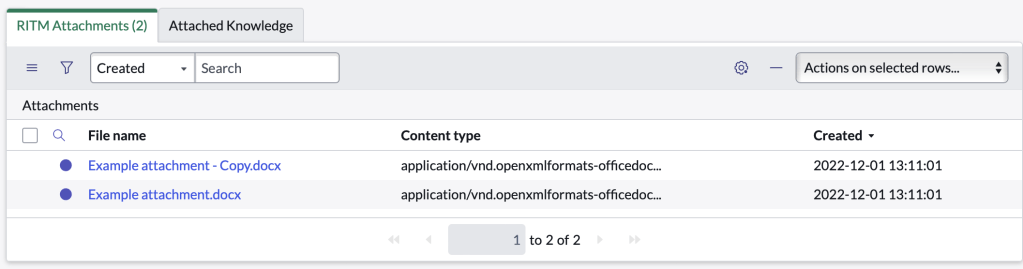
Note: also make sure to go into the list control to omit the new button, and disable in-line list editing
 mySNstuff.com