
The “Email Reader” scheduled job controls the frequently in which received emails are processed on your ServiceNow instance.
By default ServiceNow checks for new emails every two minutes. It connects to the mail server configured in your properties and then downloads the messages and creates an event called email.read. Once this event is triggered, the instance then processes the inbound actions.
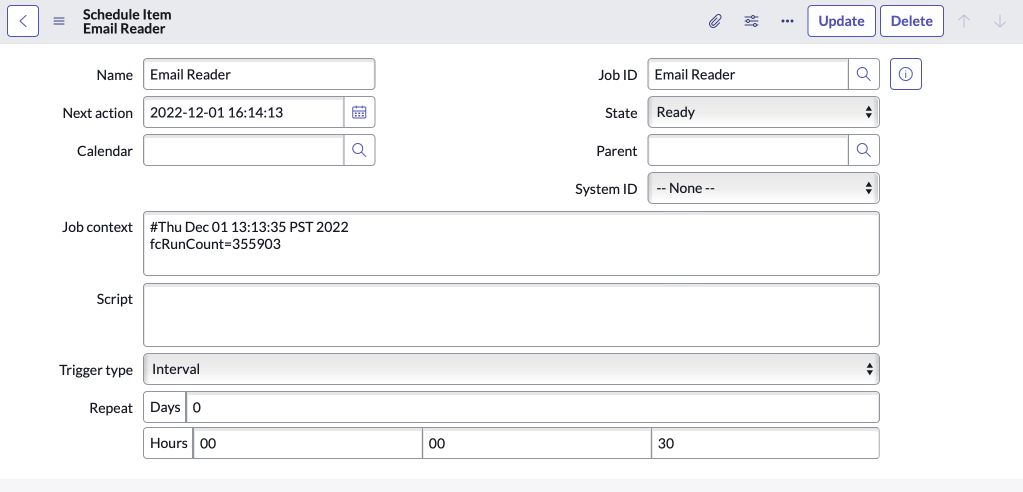
To change the frequency, go to the Email Reader scheduled item, and update the repeat interval.
instanceName.service-now.com/nav_to.do?uri=sys_trigger.do?sys_id=91616b03c611227b014e3d95b7f9d1dd
In the screenshot below, you can see I updated the interval from 2 minutes to 30 seconds.
The use case I had for updating this was that we would receive new emails (with no watermarks or ref:) and multiple replies in under two minutes and they were all getting processed at the same time. This resulted in duplicate Incidents. After decreasing the interval, we no longer have this issue.
 mySNstuff.com