
Steps to enable the email client on a custom table or on any table it’s not currently enabled on.
1. Go to your custom table, right-click the header -> Configure -> Dictionary
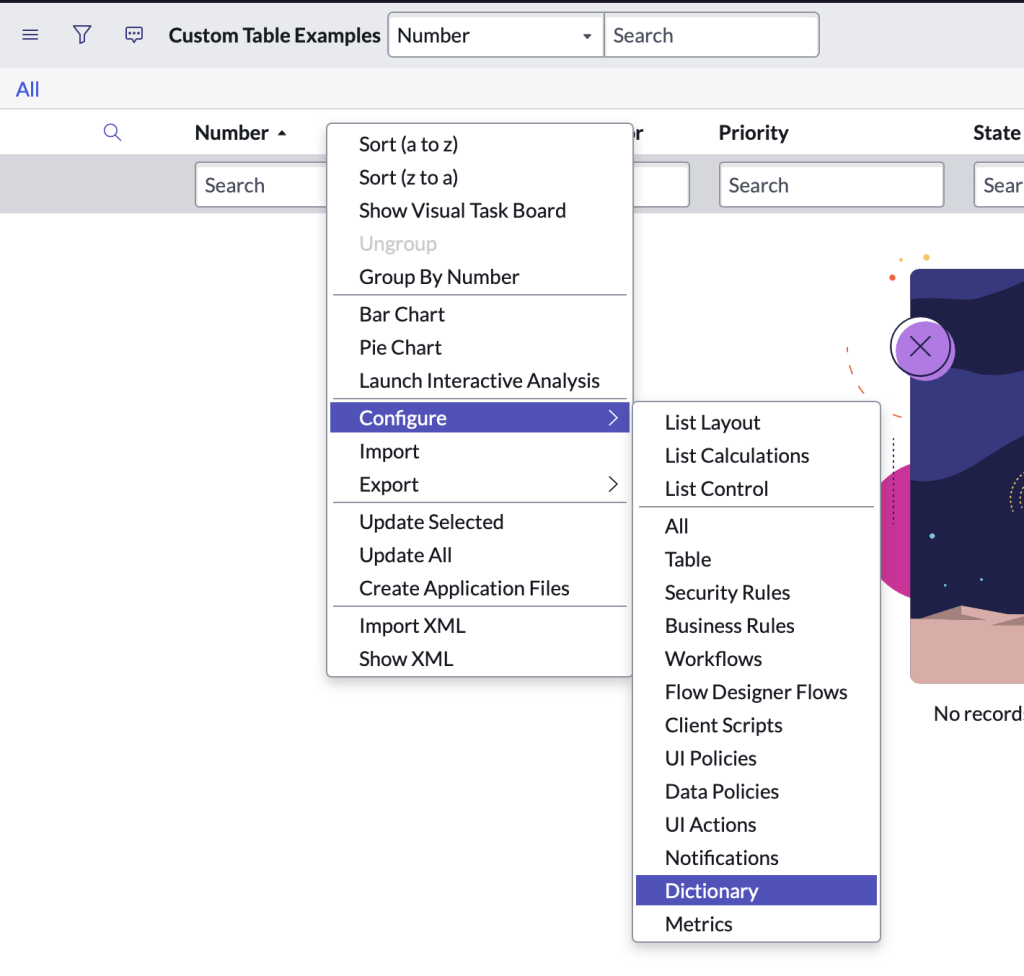
2. Open the collection record for your table

3. In the Attributes field, enter email_client=true. If there are other values in the field, separate the attribute with a comma. (Note: To disable the email client, either remove the attribute or set email_client=false)
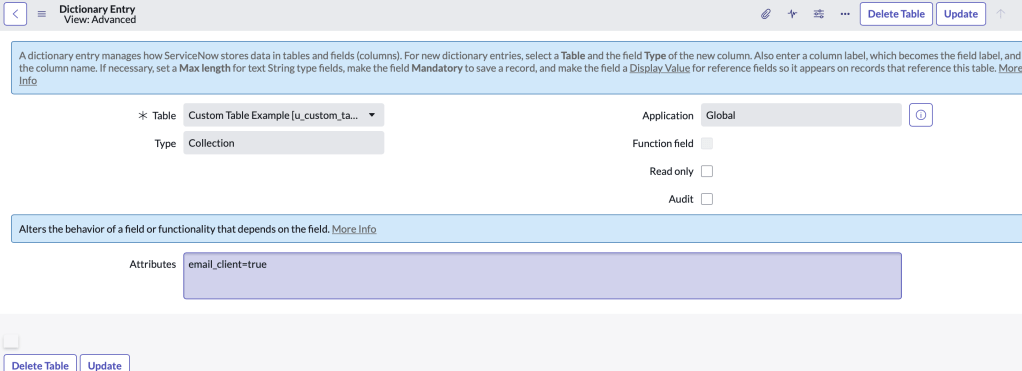
4. Click Update.
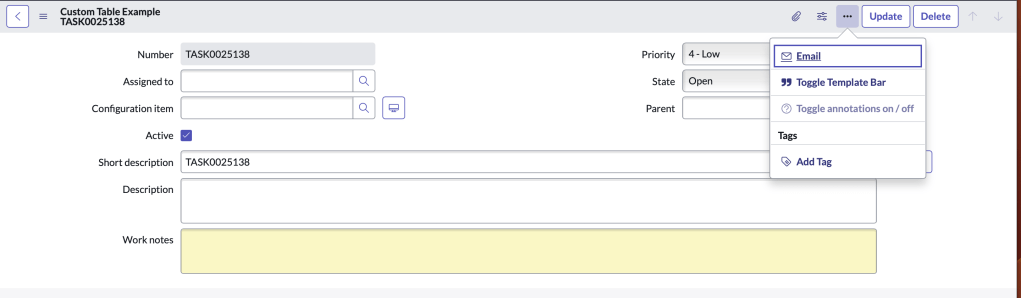
Email option is now enabled
 mySNstuff.com